

Guide: Which Learners Are Using Peerscroller?
Want to make sure your learners are engaging with Peerscroller?
One of the quickest and easiest ways to keep track of learner engagement is by checking your student sign-ups. This gives you a clear picture of who’s already exploring the app – and who might need a gentle nudge.
Keeping on Top of New Sign-ups
Monitoring student sign-ups is straightforward and built directly into your dashboard.
Head to the Learners tab on the Teacher Portal
On the navigation pane, click on Learners. This is your central space for keeping track of every student in your school/college who has created an account with Peerscroller.
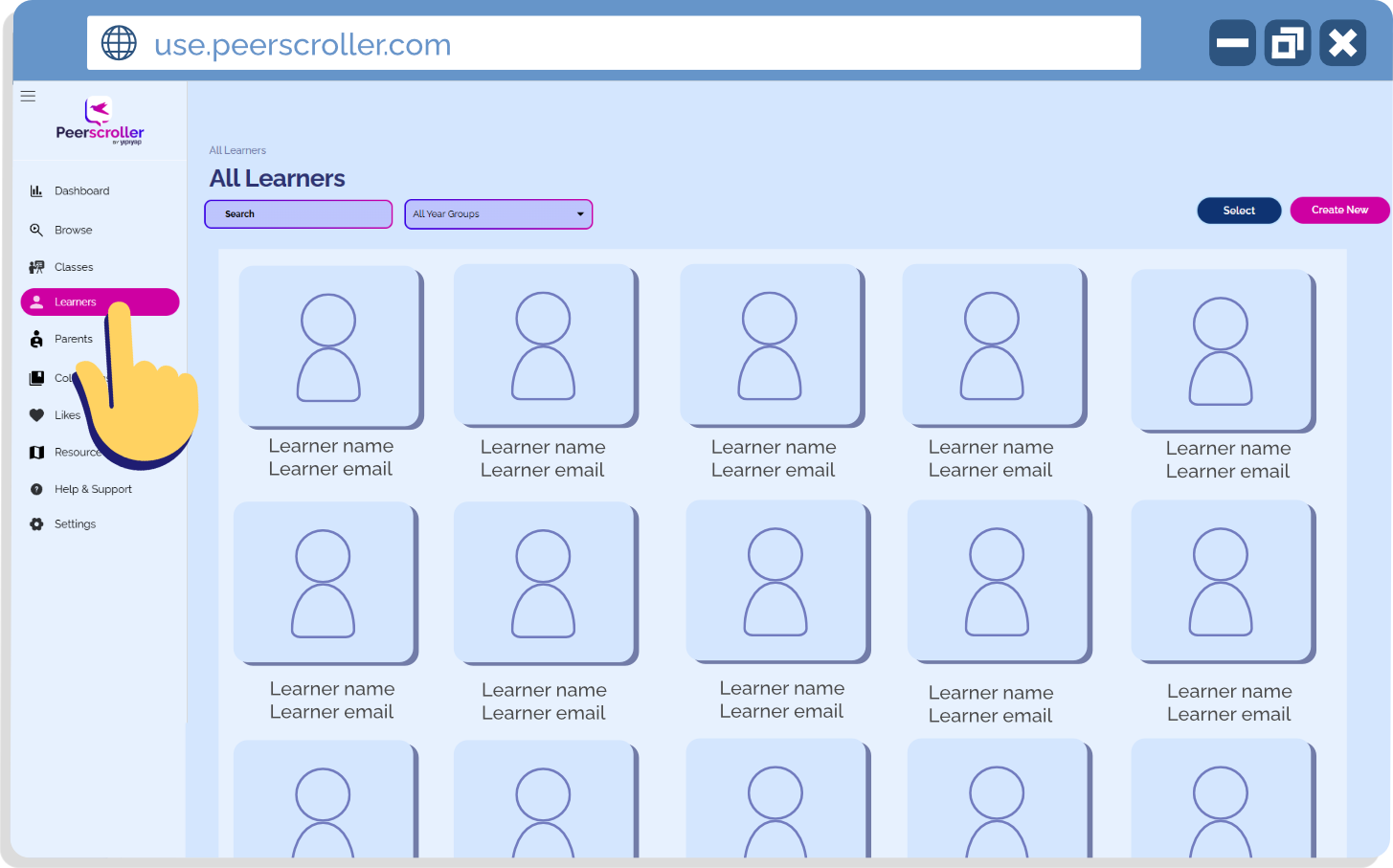
2. View the Full List of Learners
You’ll see a complete list of learners from your school/college.
New sign-ups always appear at the top, so you can immediately spot who has recently joined.
If you’re checking in on someone specific, simply use the search bar at the top of the page.
If you’re looking for a year group in specific, use the drop down to toggle your search.
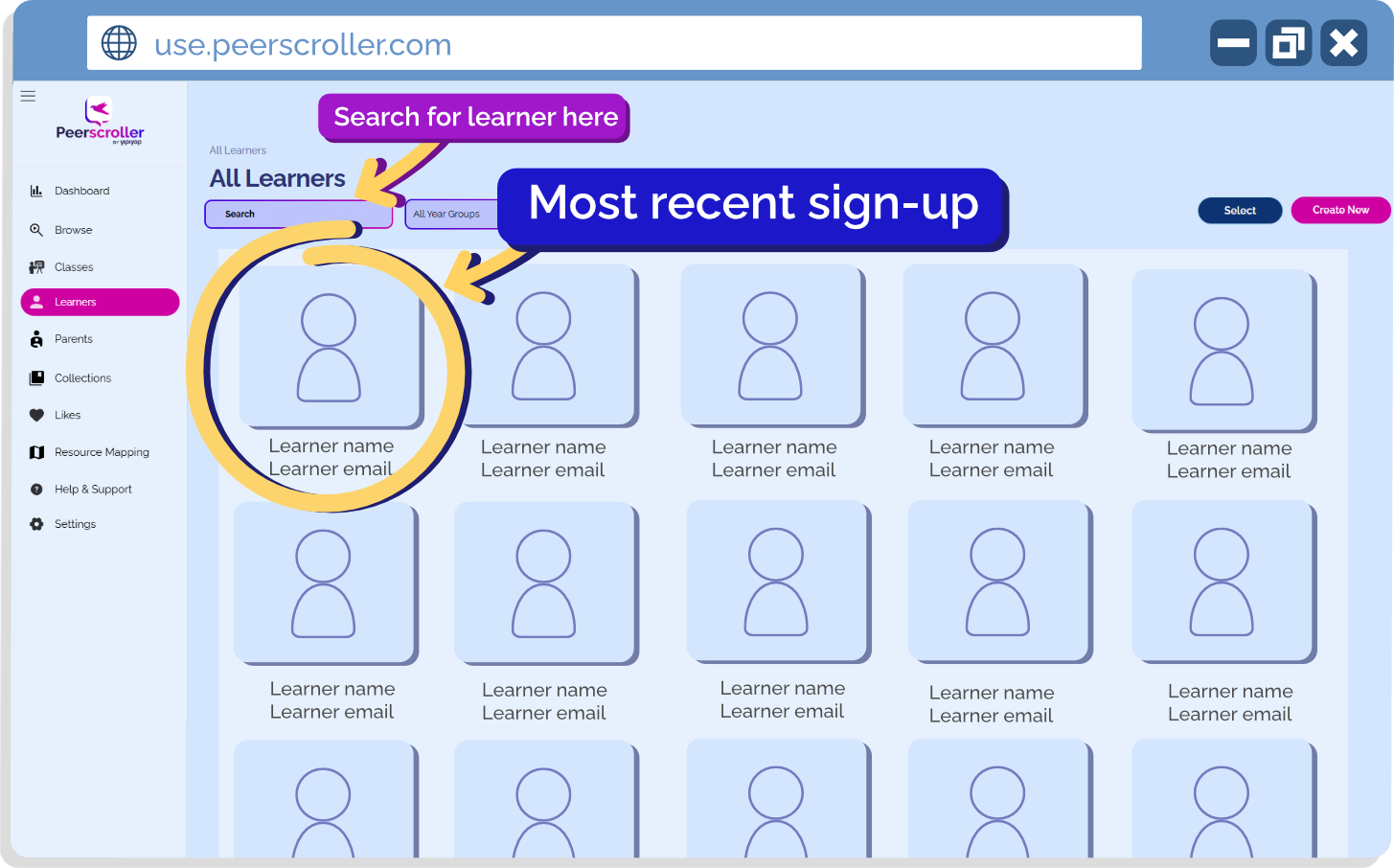
This layout makes it easy to keep your finger on the pulse of student engagement.
A Quick Reminder about Classes
When new learners sign up to Peerscroller, they won’t automatically be added to your class. If you notice a student on the learner list who should be linked to your group, you may need to add them manually.
Not sure how? Have a look at our Using Classes Guide, which walks you through assigning learners to the correct classes step-by-step. (Particularly handy if you haven’t set this up yet!)
Why Monitoring Engagement Matters
Regularly reviewing sign-ups helps you:
Identify which learners have already created an account
Spot who hasn’t yet signed up, giving you a clear idea of who might benefit from a reminder, some guidance, or a little extra encouragement
Ensure your classes are fully up to date so you can monitor engagement more accurately
It’s a simple check that can make a big difference in ensuring your learners are seeing and benefiting from Peerscroller.
What do you need support with?
If there’s a specific topic or video you’d like a guide for, get in touch with us!
We’re always happy to work with you to create a tailored guide that helps you get the most out of Peerscroller.